Workflow Plus - Multiple Purchase Limits
Purchase Limit
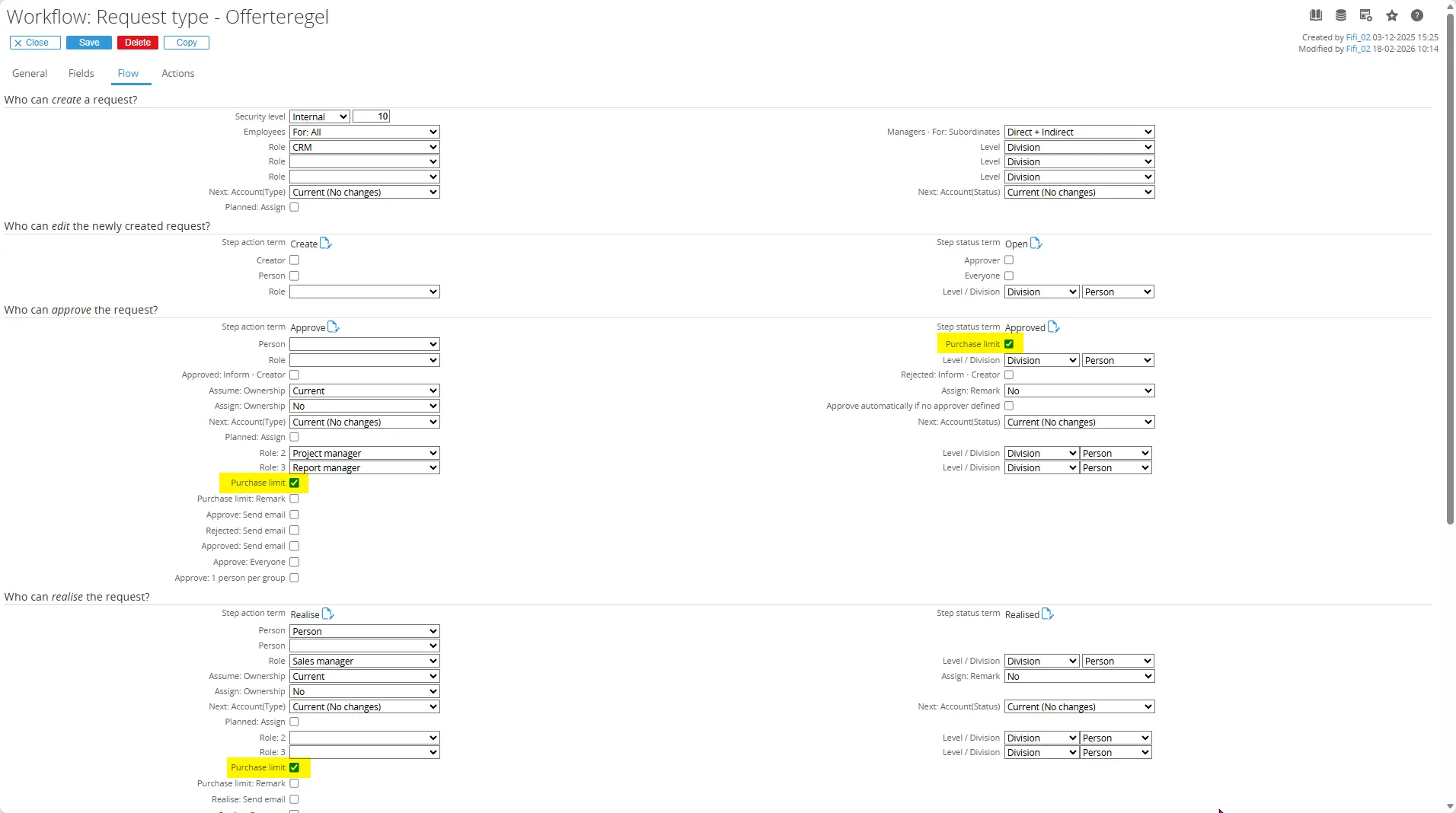
Section titled “Purchase Limit”In the request type definition, the Approve stage includes the option to enable the purchase limit check. When this option is active, the system compares the amount in the request with the purchase limit defined on the requester’s Resource Card.
If the request amount exceeds the assigned purchase limit, the system automatically searches for the next approver who has a sufficient purchase limit to approve the request.
The Purchase Limit module extends this functionality by adding similar checks to the Realize and Process workflow stages. When this module is active, the following additional options become available in the request definition:
- Approve – Purchase limit: remark
- Realize – Purchase limit
- Realize – Purchase limit: remark
- Process – Purchase limit
- Process – Purchase limit: remark
By enabling these options, you can apply purchase limit checks not only during the approval stage, but also when requests are realized or processed.
Additional Features
Section titled “Additional Features”The extended purchase limit functionality offers several advanced capabilities:
-
Multiple purchase limits per person – A resource can have more than one purchase limit with different rules or checks.
For example, you can define separate limits for office supplies (non-inventory items) and for production or project materials. -
Role-level hierarchy checks – When a role is used for approval and no one in that role at the division level has a high enough limit, the system will look for an approver with the same role at a higher level, such as the group level.