Workflow Plus - Email
The standard request feature allows sending emails via Outlook, but it does not support attaching files or documents linked to the request. Use the Email module instad to send emails directly from the request without needing Outlook and optionally include related attachments.
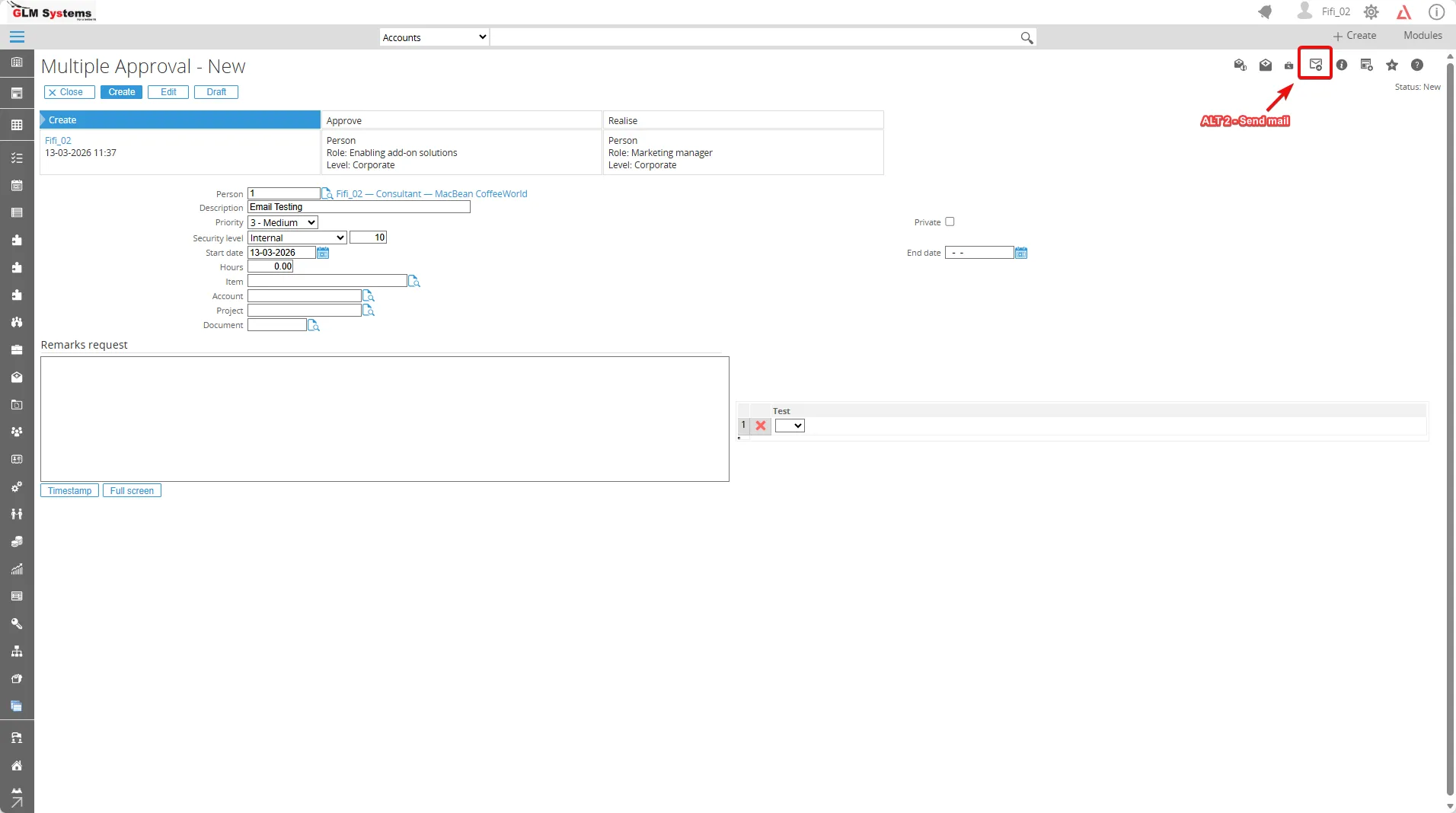
“You can click ALT 2 - Send mail in the request toolbar to open a new screen where you can compose and send the email.
In this page, you can fill the:
-
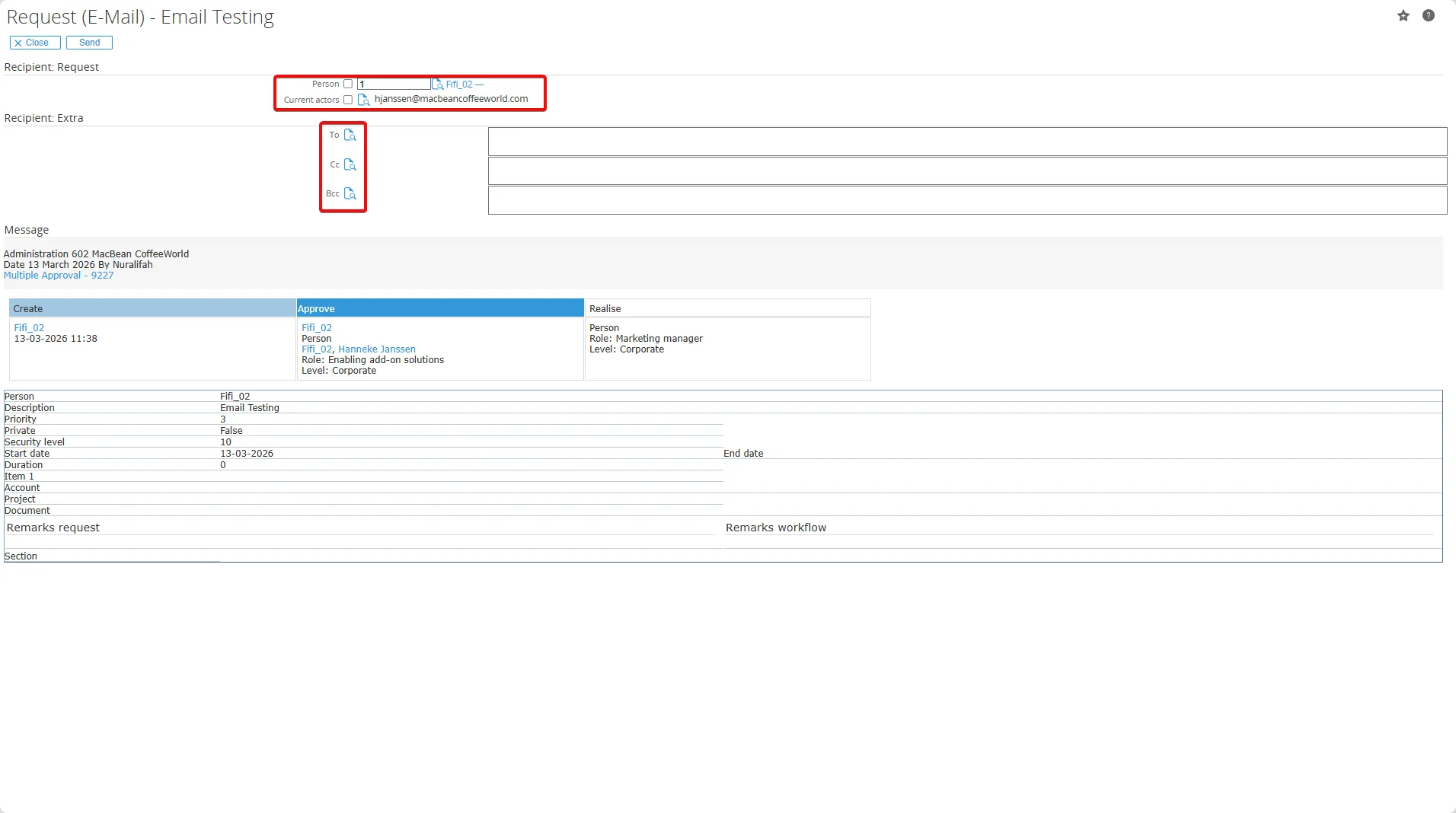
Recipient: Request In the Recipient: Request section, select recipients from the Person field (e.g., contacts or accounts) or Current actors (active workflow participants assigned to the current action step). This ensures emails go to relevant individuals tied to the request, such as approvers or creators.
-
Recipient: Extra In the Recipient: Extra section, specify additional To, Cc, or Bcc email accounts manually or from Synergy contacts. Separate multiple addresses with commas for Cc/Bcc, allowing copies without altering primary recipients.