Installation
- Install the latest version of the installer.
Download the newest installer from the official website or designated distribution source. - Verify the license.
Ensure the license is active so the application can run properly.
If the license is not active, follow the steps in the license activation guide to activate it license activation : (https://glmdocs/intro/license/)
💡 Tip: Always use an installer and license file that match the current application version to avoid compatibility issues.
Installation Guide
Section titled “Installation Guide”Run the installer
Section titled “Run the installer”-
A new installer is provided when an add-on is purchased, an update is released, or a fix is required. The delivered installer package contains the executable GLMSysAddOnInstaller.exe. To begin installation, run this executable.
-
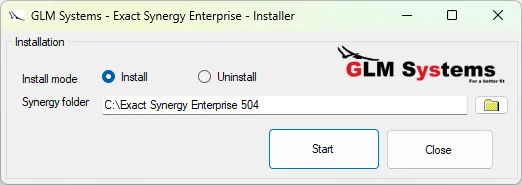
When GLMSysAddOnInstaller.exe starts, the following screen appears:
-
The title of the screen displays which version of the Workflow Plus add-on is being installed. Select the Install mode and specify the folder where Synergy is installed in the Synergy folder field.
-
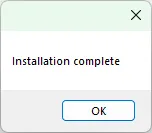
Once the Synergy folder is selected, click Start to begin the installation. Upon successful completion, the following message will be displayed.
System Requirements
Section titled “System Requirements”To ensure a smooth installation and optimal performance of the Kanban add-on for Exact Synergy Enterprise, please verify that your system meets the following requirements:
| Minimum Hardware |
|
| Operating System Support |
|
| Software Requirements |
|
| Network/Environment |
|
| Preparation Steps |
|