Project Plus - Troubleshooting
Server Error or Compilation error
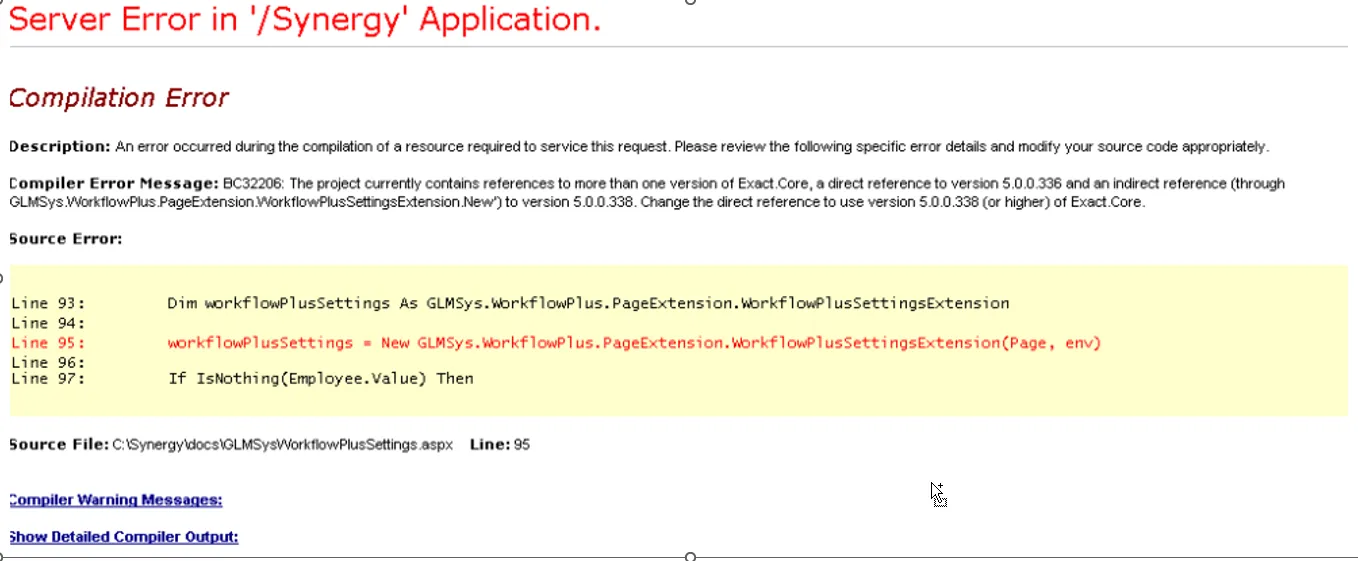
Section titled “Server Error or Compilation error”When opening the Project Plus settings application and a message as shown below is given, this means there is a conflict in versions.
In this case let your vendor know which Synergy version you are currently using to make sure the correct versions of the workflow plus tool are installed.
To solution for this problem will be either updating Synergy to make sure you have the latest versions of all components or installing a different version of the Project Plus tool.
No Valid License Installed
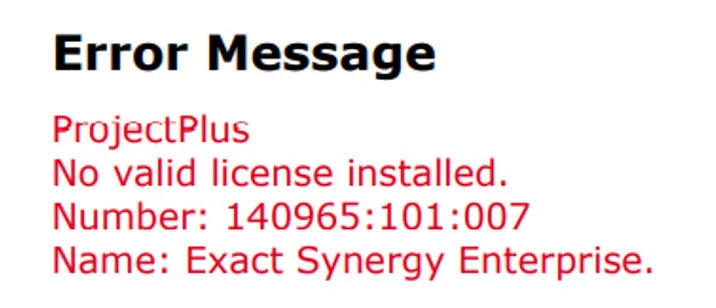
Section titled “No Valid License Installed”When an error message like this appears, please contact us so that we can review your Synergy Enterprise license from Exact and determine if changes were made to it that affect the GLM licensing.
Freefield not showing on the customize
Section titled “Freefield not showing on the customize”When Freefield not showing on the customize you can click the reset button and the field will showing.
