CRM Plus Troubleshooting
No Valid license Installed
Section titled “No Valid license Installed”When an error message like this appears, please contact your implementation partner or us so that we can review your Exact Synergy Enterprise license from Exact and determine if changes were made to it that affect the GLM Licensing.
Error Message CRMPlus No valid license installed. Number: 140965:101:007 Name: Exact Synergy Enterprise.
We are recommending that accounts before they update their Synergy License (either for new Functionality, Annual Contract or Additional Users – we are contacted first so that we may review and if necessary, provide a new license proactively.)
Pricelist and unit browser error
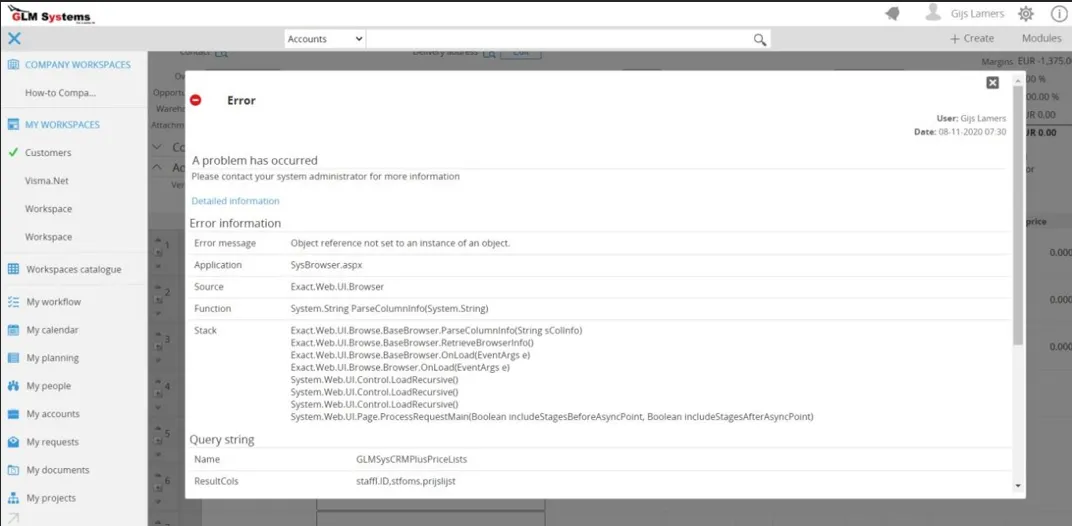
Section titled “Pricelist and unit browser error”It could be that when another pricelist is selected an ‘Object reference not set to an instance of an object’ message is shown as in the screenshot below. To solve this, follow the steps described in Add Exact Globe Browsers. After this run IISRESET or clear the cache from Synergy via System > Reports > Activity Session as the browsers are stored in the cache.
Non-existing property ‘UnitCode’ retrieved for Repository
Section titled “Non-existing property ‘UnitCode’ retrieved for Repository”
When this error message is shown when generating the sales order, the property UnitCode is missing from the business component ‘BOSalesOrderLineEG’. Standard this property is not available, the installation xml folder has a modified Repository.Sales.xml which has this property. The Repository.Sales.xml would be overwritten when an Exact Synergy update is done, this could be an update of a service pack or update to a newer version of Exact Synergy. To solve this, try to re-install the installation and do a rebuild of the repository in System > Setup > Repository > Rebuild.
After the repository rebuild run IISRESET or clear the cache from Synergy via System > Reports >Activity > Session as the browsers are stored in the cache.
Error Back office sales order header/ lines checking
Section titled “Error Back office sales order header/ lines checking”
When this error message is shown when generating the sales order, make sure the username and password that entered on the RPA Exact Globe connection are correct.
Error when choosing an item on Quotation Lines
Section titled “Error when choosing an item on Quotation Lines”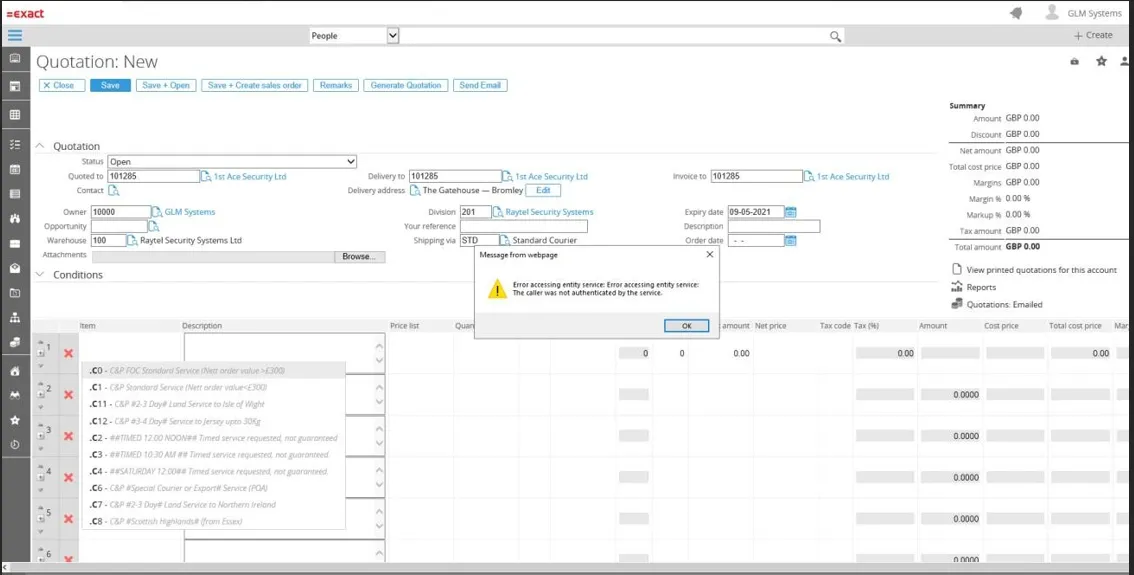
When accessing synergy through another machine/server the back office cannot authenticate without fixed credential and will show the error ‘Error accessing entity service: The caller was not authenticated by the service’ after choosing an item in the quotation lines.
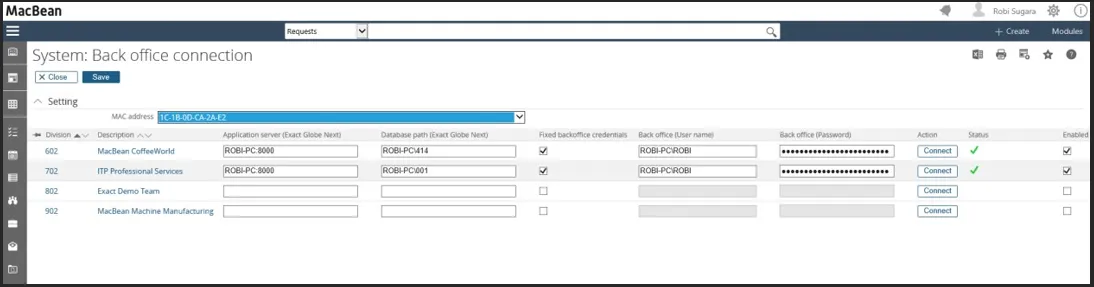
To solve this, make sure the back office connection is using fixed credentials, you can go to back office connection, go to System go to / Setup /Back office / Back office connection.
‘The user does not exist.’ error when creating a new quotation or opening a quotation
Section titled “‘The user does not exist.’ error when creating a new quotation or opening a quotation”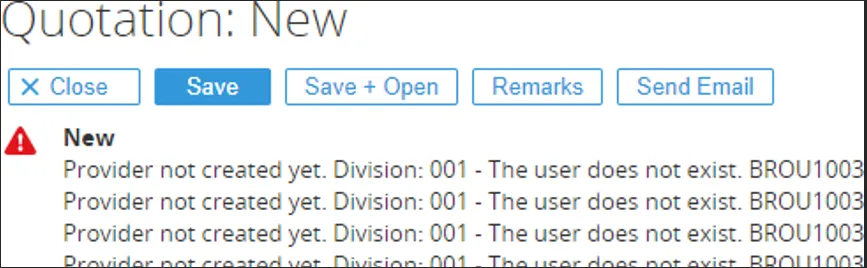
The user must exist in Exact Globe with the same user name (System / HR & Security / People). In the error that is shown, it will also show the username that is missing. For the user that is created, access to Exact Globe is not needed. After creating the user in Exact Globe, you can continue.
You have insufficient right to perform this operation when using a browser/lookup
Section titled “You have insufficient right to perform this operation when using a browser/lookup”When clicking for example Shipping via browser and you see the ‘You have insufficient rights to perform this operation’ import the ExactGlobe views again from the Templates\Exact Globe folder. In the ExactGlobe views the view are set to security level so that the customer also can browse on the data.

Error the letter could not be created
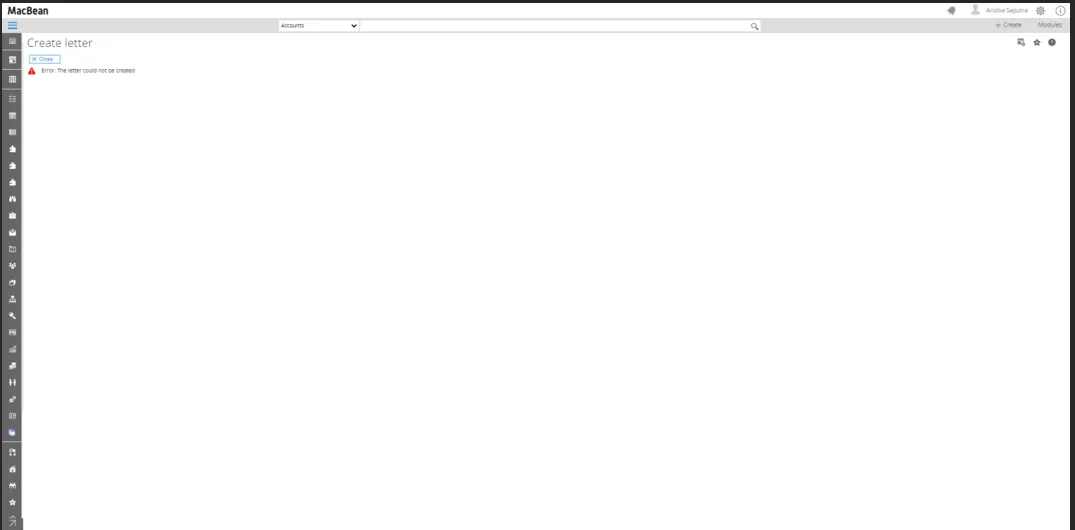
Section titled “Error the letter could not be created”This error will appear in the process of generating quotation, when Configuration: Exact Word Merge Integrator configuration is not set to Active.
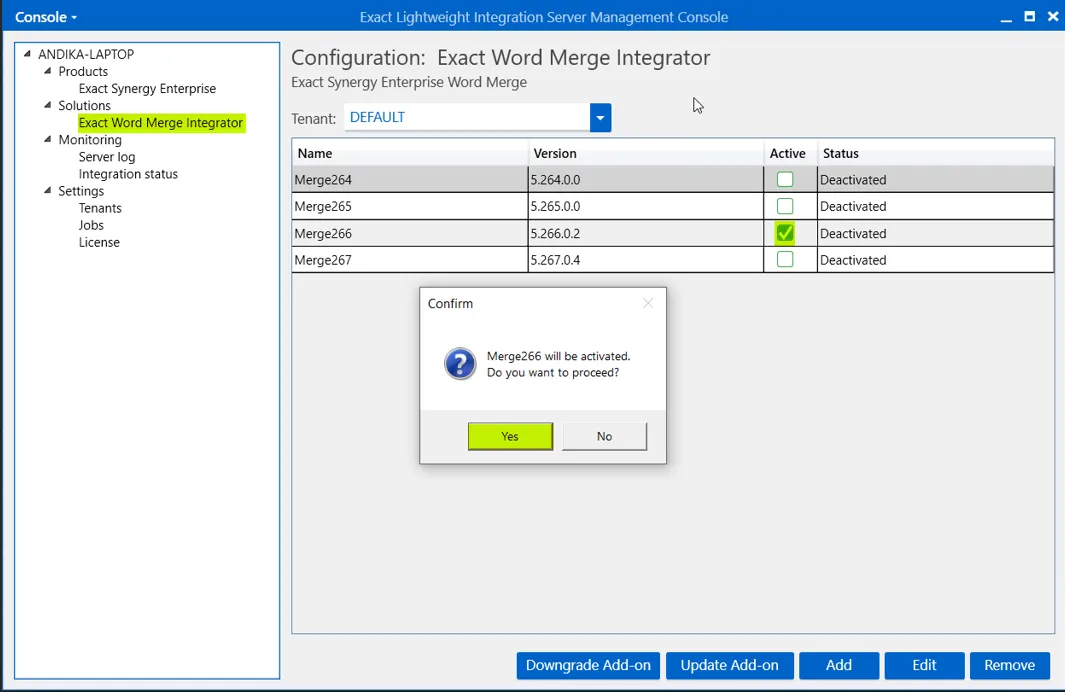
To activate Configuration: Exact Word Merge Integrator, Open Exact Lightweight Integration Server Console (ELIS), then Connect to the server, click on Exact Word Merge Integrator, then tick Active to Word Merge Name to be activated, then click Yes.
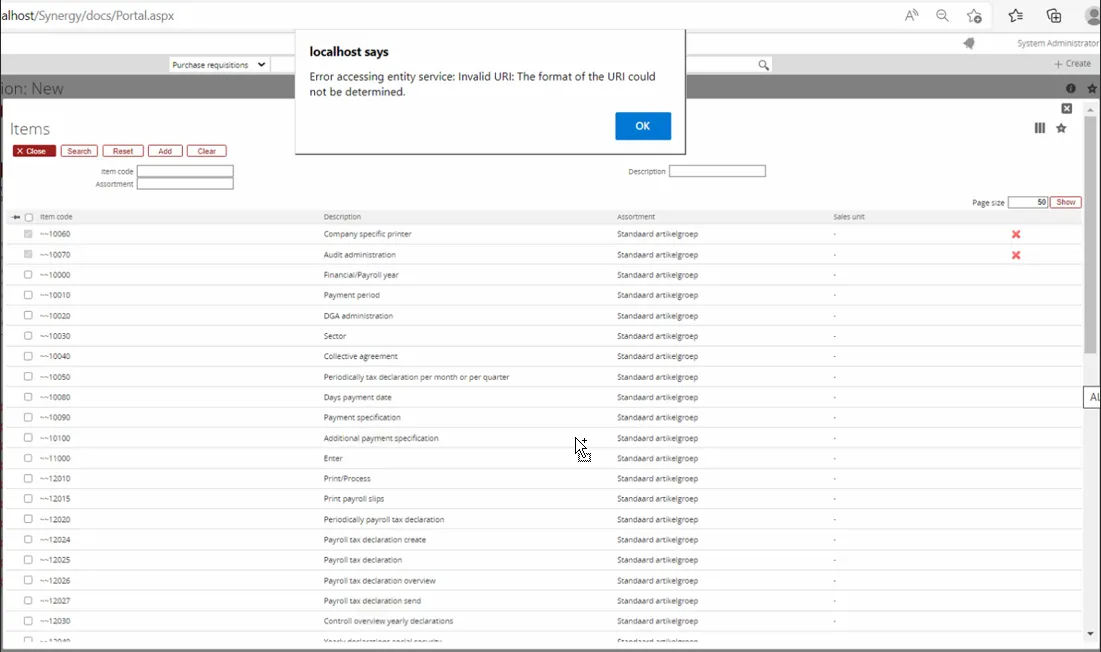
Error object reference
Section titled “Error object reference”This error will appear

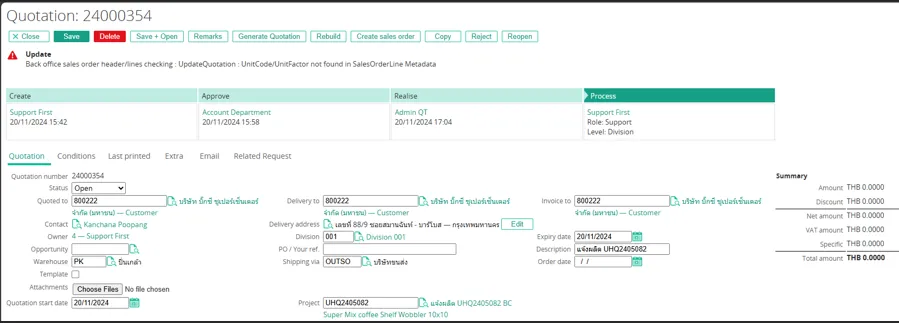
Issue failed create sales order – Unitcode/Unitfactor not found in SalesorderLine Metada
Section titled “Issue failed create sales order – Unitcode/Unitfactor not found in SalesorderLine Metada”This issue occurs when trying to create a sales order. The problem is caused by the metadata for salesorderline Exact Globe not being copied or installed yet. To fix it you can Install the CRMPlus Globe 419 is already on the installer with folder name “CRM Plus Quotation – Setup -2021108”, When install it you can pointing to the directory Exact Globe folder for example “C:\Program Files (x86)\Exact Software”or you can copy manually the XMD folder to the XMD folder on the Exact Globe folder.
Seacrh screens filters from – to not working as numbers
Section titled “Seacrh screens filters from – to not working as numbers”If the column designed to display numerical values in the output, then changes the domain into ‘5NumberPresc0’.
